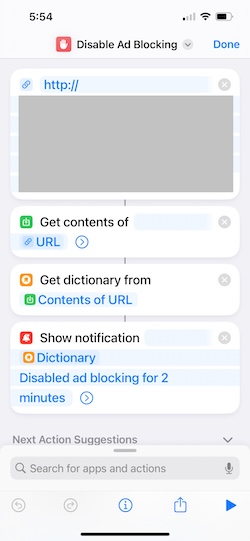
Disabling Pi-hole ad blocking from an iOS Shortcut
I have Pi-hole running on my network, which does a great job blocking ads. However, sometimes I want to disable it for a short period of time. I could do this by logging into the web interface, but that’s a bit of a pain.
First, get your API token from the web interface. Go to Settings -> API, click ‘Show API token’ and copy the token.
Then, run the following command to disable Pi-hole for 5 minutes:
curl "http://pi.hole/admin/api.php?disable=300&auth=<your API token>"
The disable parameter is the number of seconds to disable Pi-hole for. You can also use enable to re-enable it.
On my iPhone, I added a Shortcut to make this web request, so I can disable Pi-hole with a single tap.